
'Data Sources' tab in the 'Project Details' window
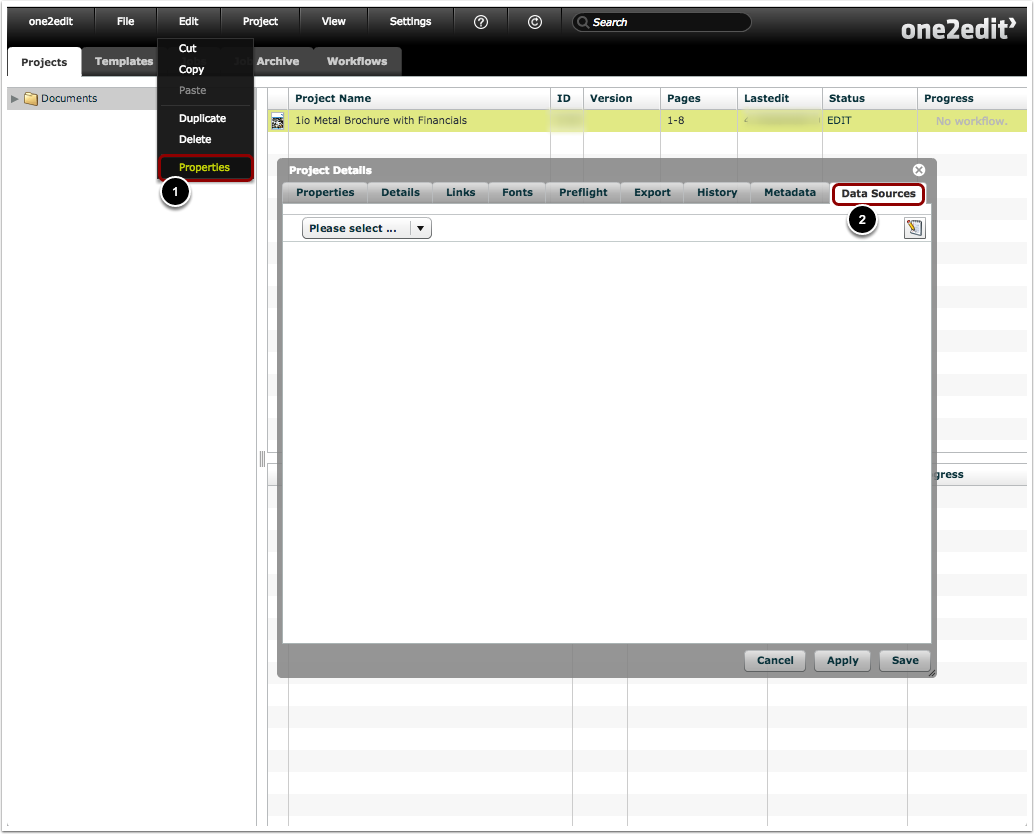
- Open the 'Project Details' window for the selected project by clicking 'Edit > Properties'.
- Select the 'Data Sources' tab.
Choose the data source

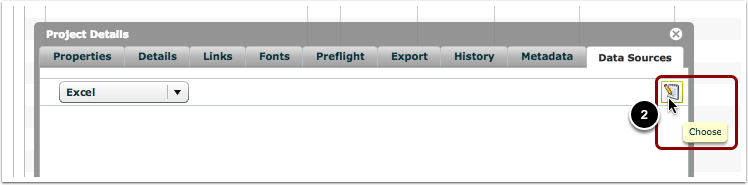
- Choose the type of source to which you want to link this project.
- Click the 'Choose' button (i.e. the 'notepad' icon) to open the Asset Browser.
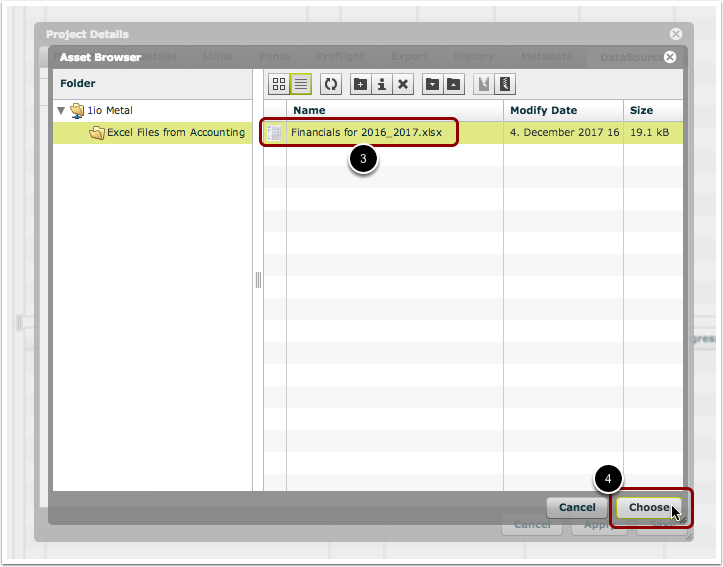
- Select the source file in the Asset Browser.
- Click 'Choose'.
Save changes
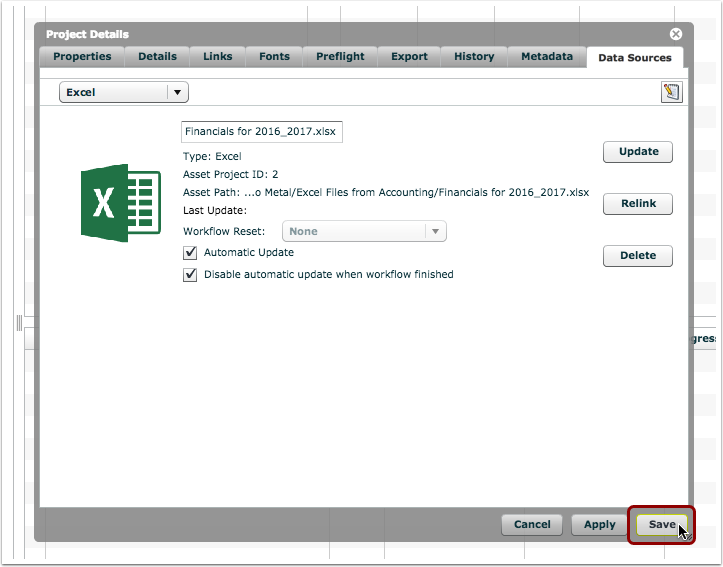
You have linked an Excel file to your project, and can save your changes.
NOTE:
It is possible to link multiple Excel files to this same project, if required. Just follow the steps above and choose a different Excel file.