
Edit > Properties > Data Sources > Automatic Update
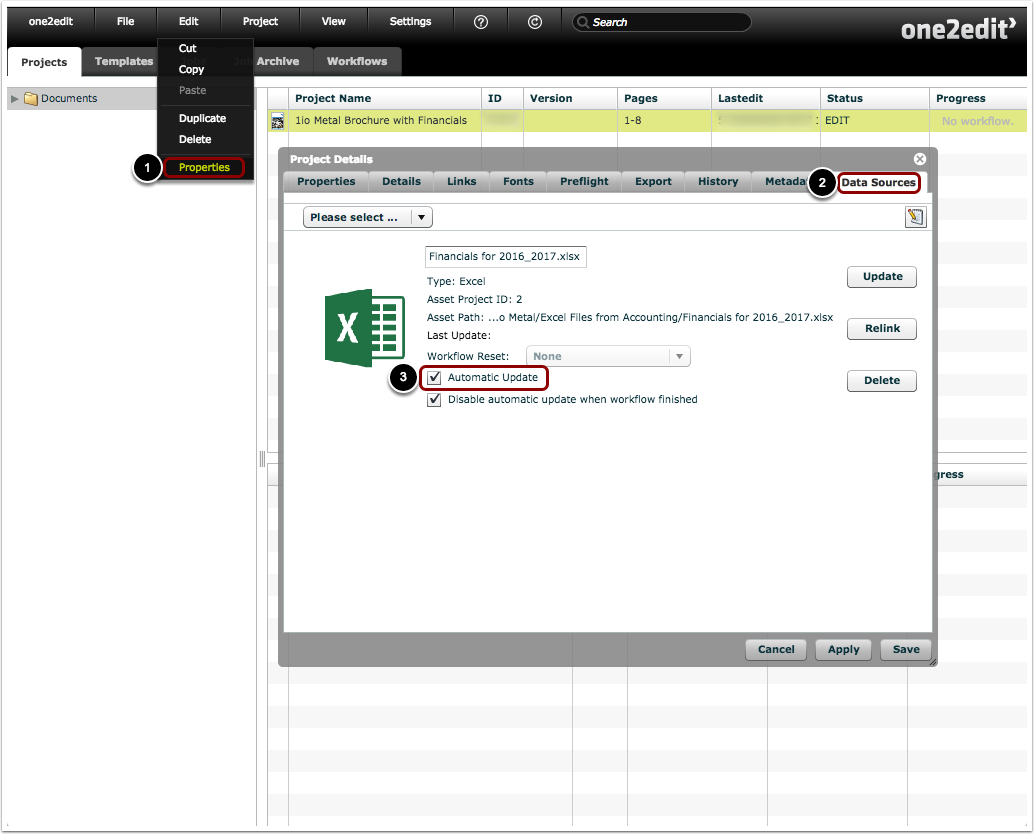
- Click 'Edit > Properties' to open the 'Project Details' window for the selected project.
- Select the 'Data Sources' tab.
- Ensure that the 'Automatic Update' box is checked.
Make changes to the Excel file
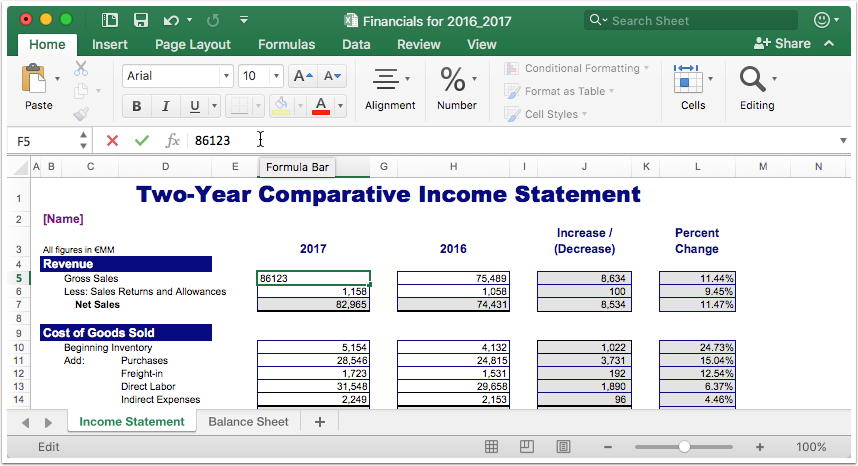
Save your changes to the Excel file in the 'one2edit™ Global File System' folder
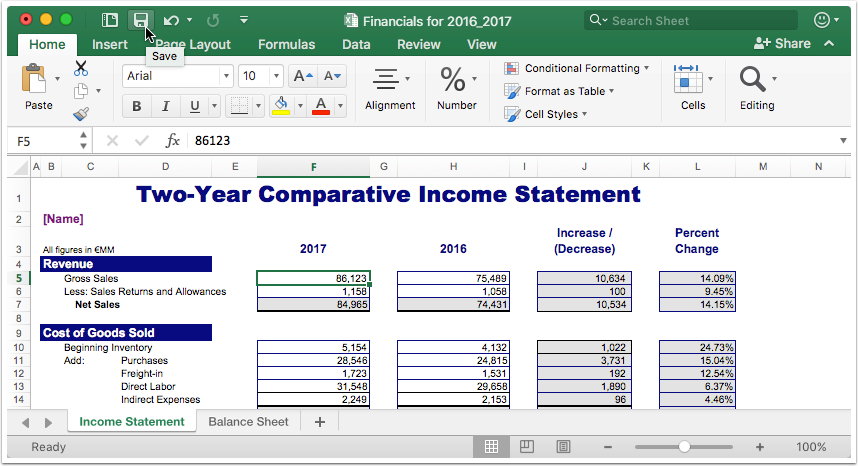
Segment text updated

As you can see, the segments in the InDesign text were updated using the values from the linked Excel cells.