
Edit > Properties > Data Sources > Update
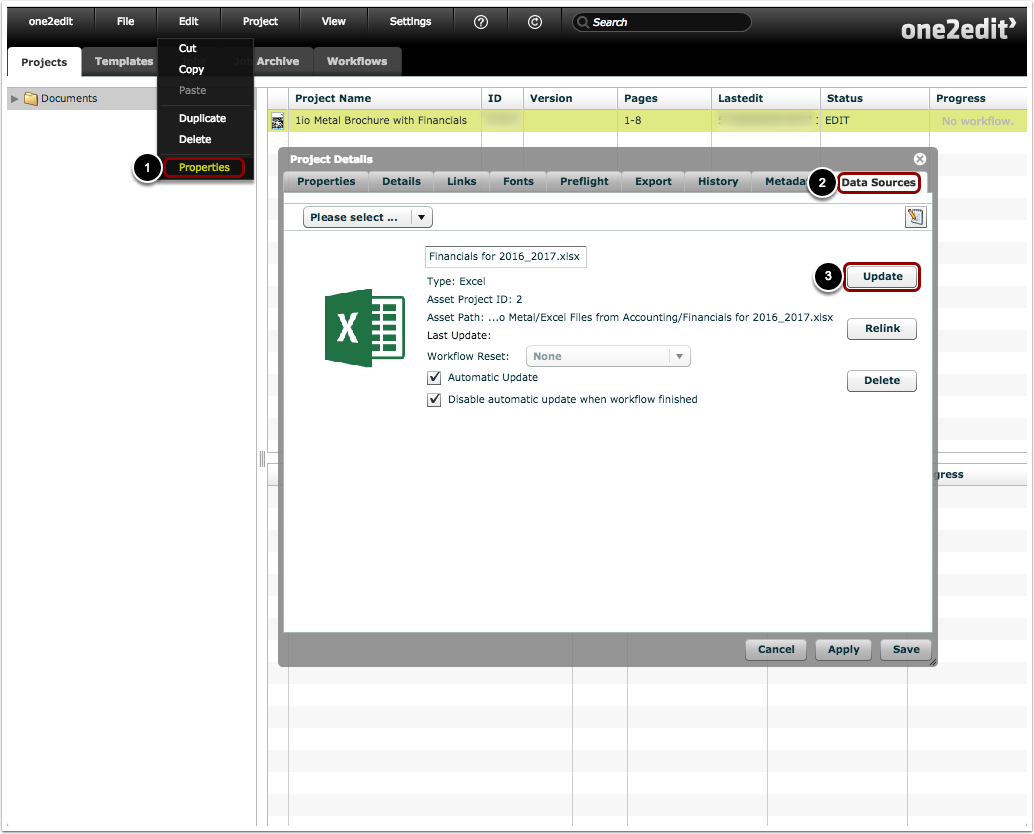
- Click 'Edit > Properties' to open the 'Project Details' window for the selected project.
- Select the 'Data Sources' tab.
- Click the 'Update' button beside the relevant data source.
Segment text updated
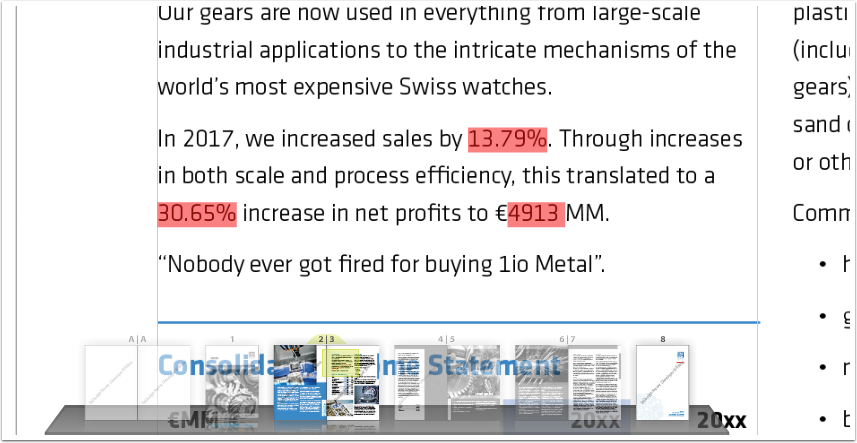
As you can see, the segments in the InDesign text were updated using the values from the linked Excel cells.