
InDesign® IDML snippets can be placed into a document when using one2edit™ v3.8.x or higher.
What is a Snippet?
A snippet consists of text and/or images that have typically been exported from InDesign. After a snippet has been imported (e.g.: into Adobe® InDesign® or one2edit™) both, text and image file, can be edited separately.
NOTE:
Placing items into a document creates frames for those items. Frames can only be created in the 'Master Document/Project Editor'.
Click 'File > Place'
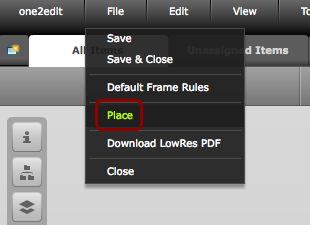
Click 'File > Place' to place a snippet into a document.
Choose Snippet
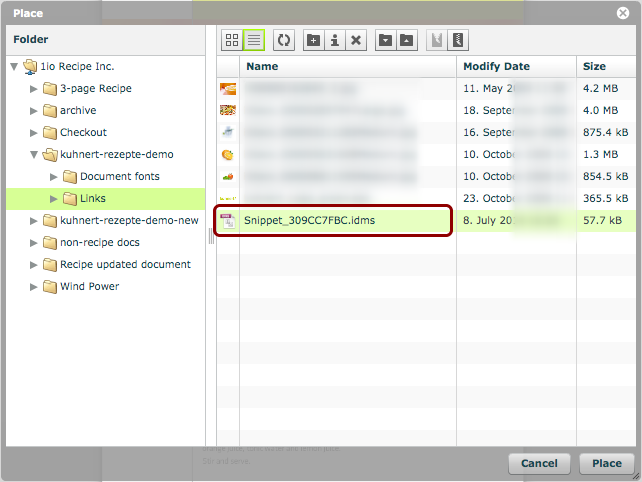
Select the InDesign® snippet (file extension .IDMS) that you wish to place.
Click 'Place'
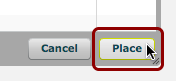
Click the 'Place' button.
Place Snippet
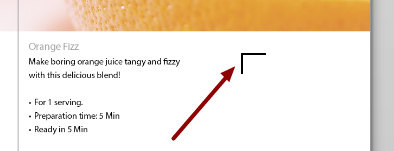
Use the cursor to place the snippet at the desired location.
NOTE:
Using 'Alt-Click' will place the snippet at the same location from which it was exported, i.e., at the same x,y co-ordinates on the spread. This is identical to the Adobe® InDesign® functionality.
Snippet rendered
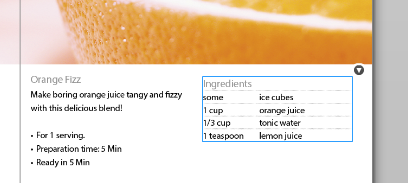
The snippet of content has now been placed and rendered in the document.
Continue editing
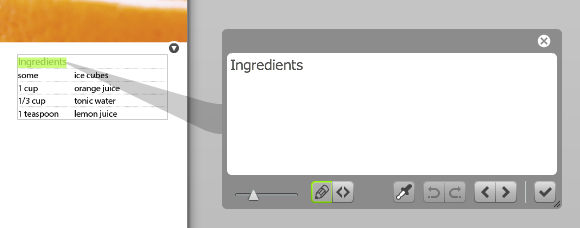
Because a snippet contains standard InDesign® document content, these content items can be edited as normal.