
Content rules define what actions are allowed (or not allowed) by a user when editing or reviewing a document.
Select a Folder
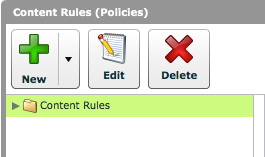
Select the folder in which you wish to create your new content rule.
Click 'New > New Content Rule'
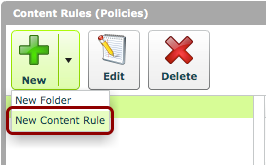
Click 'New > New Content Rule' to create a new rule.
Content Rule Details
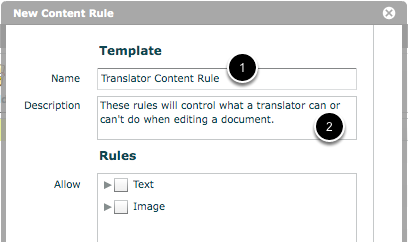
- In the 'New Content Rule' window, give the content rule a name.
- You can also give a more detailed description of the content rule in the 'Description' field.
Choose 'Rules'
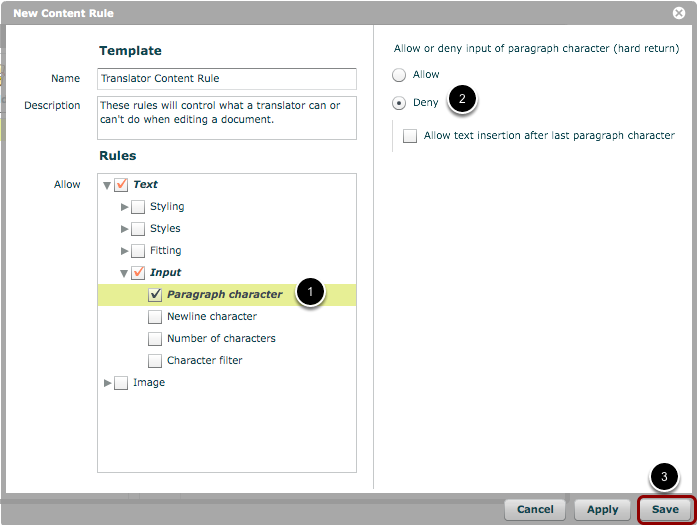
You can now choose the rules that will define this policy.
- Find the rule in the 'Rules' list and check the box beside it.
- Specify any options or ranges in the right-hand pane of the window.
- Once all the rules have been set up for the policy, click 'Save'.
In the above example, we are ensuring that users to whom this content rule applies cannot insert paragraph characters to a document.
New content rule has been created
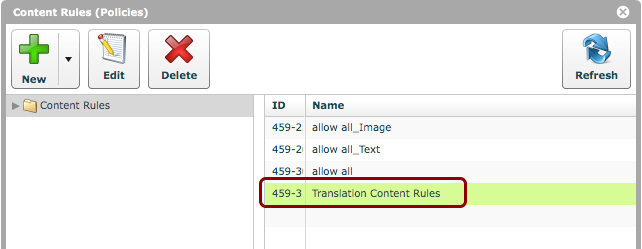
You should now see your new content rule in the chosen directory.
Edit/delete content rules
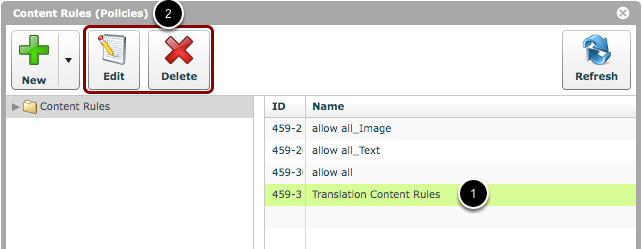
If you wish to edit or delete a content rule simply:
- Select an existing content rule.
- Click on either the 'Edit' or the 'Delete' button.