
A folder hierarchy can be used to keep your content rules organized.
Click 'New > New Folder'
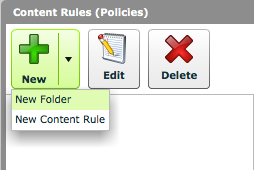
Click 'New > New Folder' to create a new folder.
Name the folder
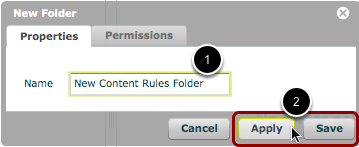
- In the 'New Folder' window, give the folder a name.
- Click 'Apply' or 'Save' to create the folder.
Parent folders
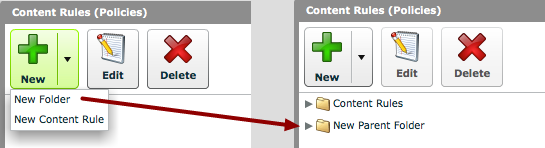
If no folder is selected when the 'New Folder' is selected, the resulting folder will be created at the 'parent' level.
Sub-folders
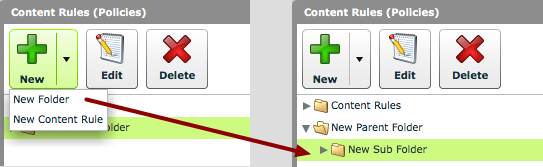
If a folder is selected and 'New Folder' is clicked, the resulting folder will be created as a sub-folder.