
It is possible to inspect the translation memory (TM) of any language set.
Furthermore, it is possible to import/export TMX-format files from/to external translation management systems.
Click 'Open Set TM'
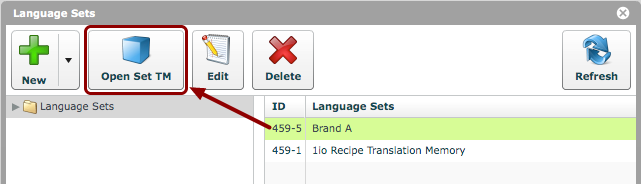
Select the language set and click the 'Open Set TM' button.
Choose languages to view
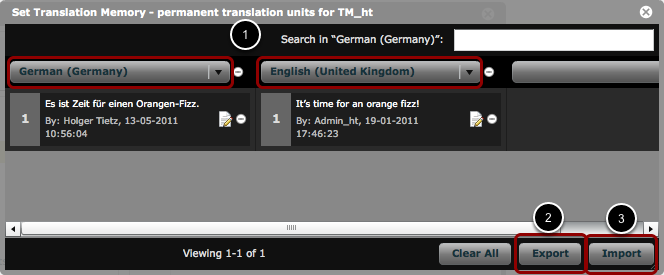
- Languages can be chosen from the drop-down menus. They will display side-by-side comparisons of translation memory segments.
- The chosen translation memory languages can be exported, in TMX format, via the 'Export' button.
- New translation memory can be imported, in TMX format, via the 'Import' button.
NOTE:
Please ensure that the TMX encoding is UTF-8.
'Clear All' button
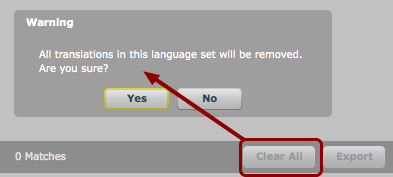
The 'Clear All' button will remove all translations in a particular language set, as evidenced by the warning that pops up if the button is clicked.