
Settings > Users and Groups > Edit Group > Enable 'Dictionary'
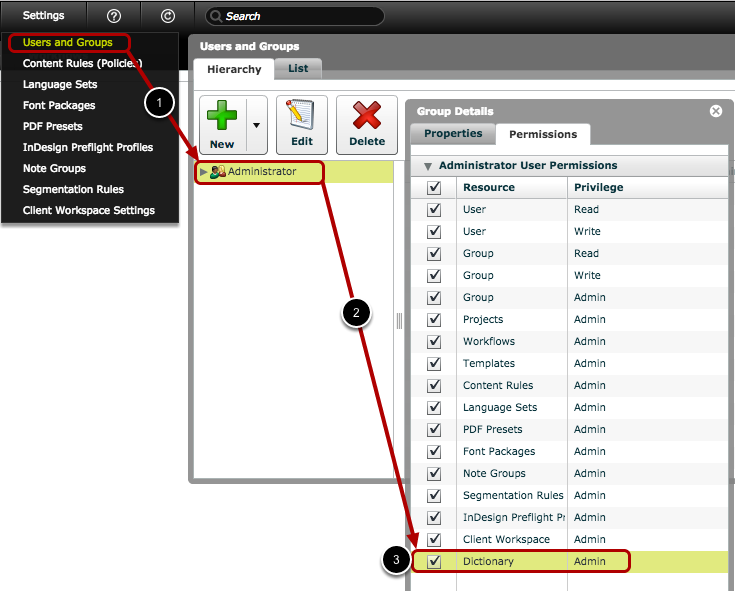
- Click 'Settings > Users and Groups'
- Double-click the group to edit it
- Select 'Dictionary' on the 'Permissions' tab
Log out and log back in again
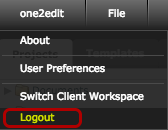
You must now log out of the system and then log back in again.
This will reload the 'Settings' menu with the new options: 'Dictionaries' and 'Text Rules'.