
The replacement text in a Text Rule can be styled using character styles or style overrides.
This lesson explains how to apply a character style to your replacement text.
NOTE:
If you assign a character style to some replacement text, it will only work if a character style of that exact same name exists in the InDesign document.
Select the characters to which the styling should be applied
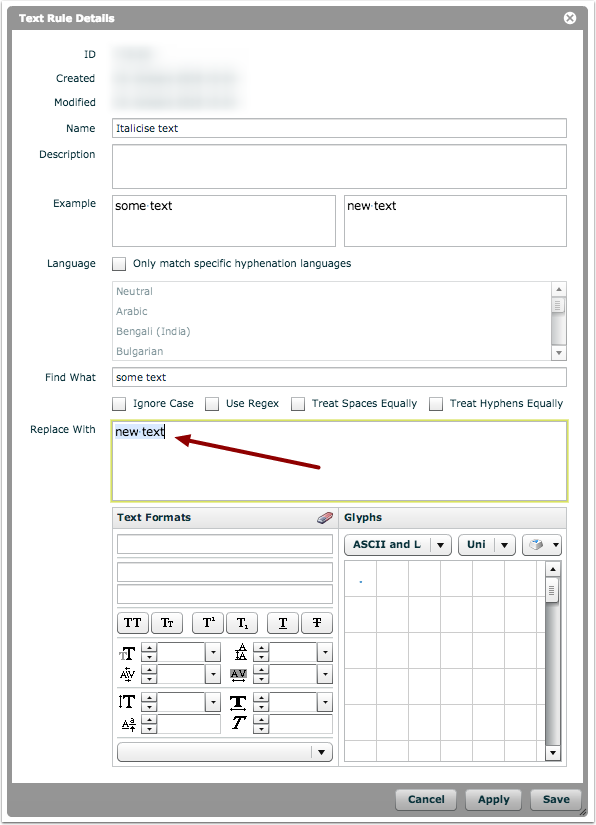
In the 'Replace With' field, select the characters to which the character style should be applied.
NOTE:
If you do not explicitly select any characters, then the system will not know to which characters the styling should be applied, and the styling will not be applied.
NOTE:
It is not possible to apply a paragraph style to replacement text, as a Text Rule typically only applies to a portion of a paragraph (e.g. a word or phrase).
Enter a style name
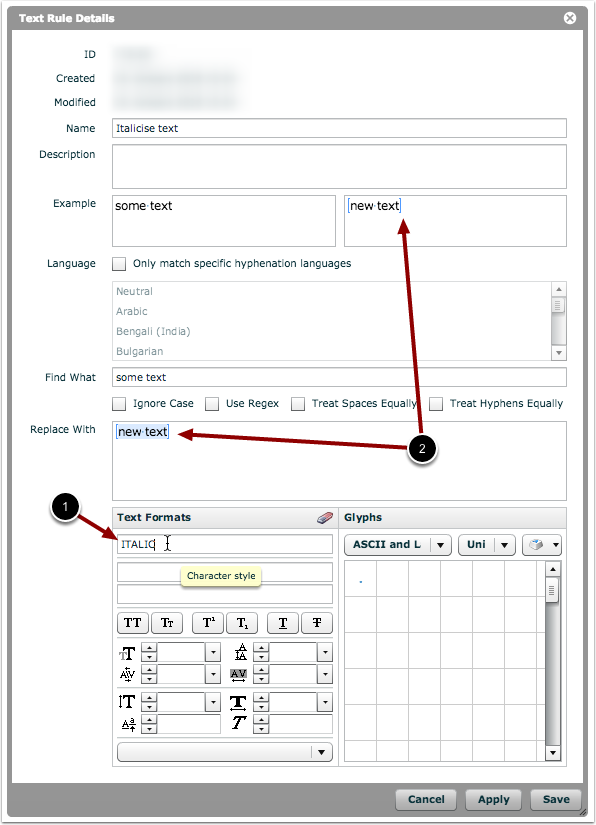
- Type in the name of a character style that will be present in your target documents.
- You will see the blue square brackets appear in both the 'Replace With' field and the 'Example' field (if you have an example filled in) to indicate that local styling has been applied.
NOTE:
Character-style names are case-sensitive.
NOTE:
If a character style is located in a style folder in InDesign, then the folder name will also need to be present in the style name.
NOTE:
Both character styles and style overrides can be applied to the same selection of characters.