
This section shows you how to open the 'Master Document'.
The following content is an excerpt of our workshop. To see this lesson in context, please refer to "Workshop 1: How to create an Edit Job Project and work with 'Edit' Content Groups (Steps 6-7)".
NOTE:
A detailed description of any window used here can be found in the 'User Interface Description' sections.
Let's get started!
Open your project

Go to the 'Projects' tab and select the folder containing your master document. Double-click on your master document to open the 'Master Document Editor' (MDE).
'Master Document Editor'
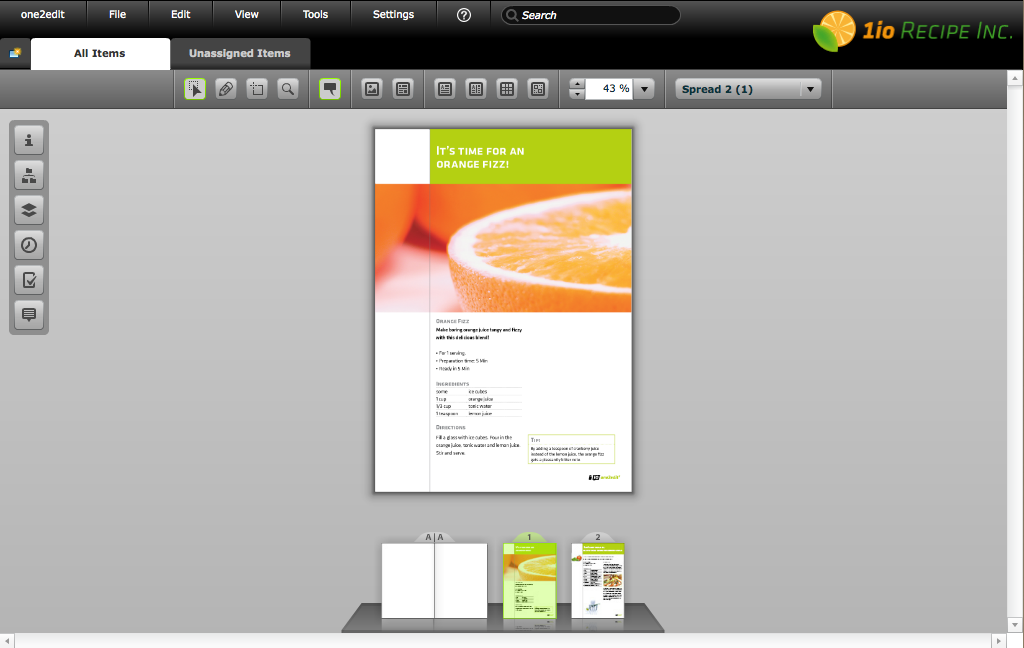
When the 'Master Document Editor' (MDE) opens, it will display a preview of the first page of your document. For a detailed description of the toolbars and icons, please refer to the 'Master Document Editor' section of the 'one2edit™ User Interface Description'.