
This lesson will explain how to filter the content of the Document Structure panel to only display text segments that contain overset text.
Yellow Warning Triangle
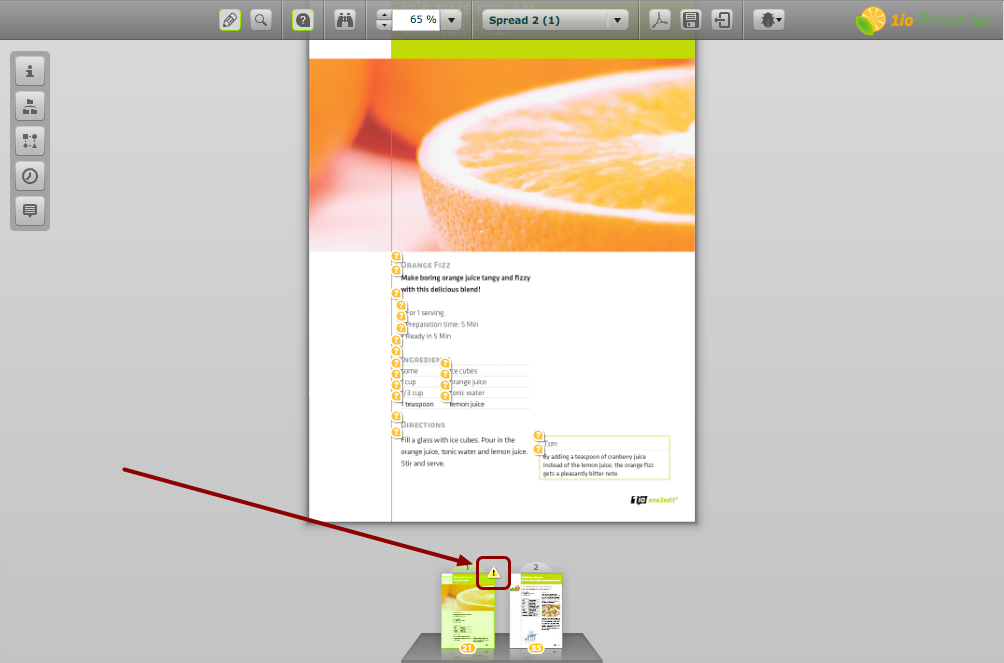
The first thing that we notice is that our document does contain overset text.
This is indicated by yellow warning triangles on the thumbnail of any spread that contains overset text
Open Filter in Structure Panel
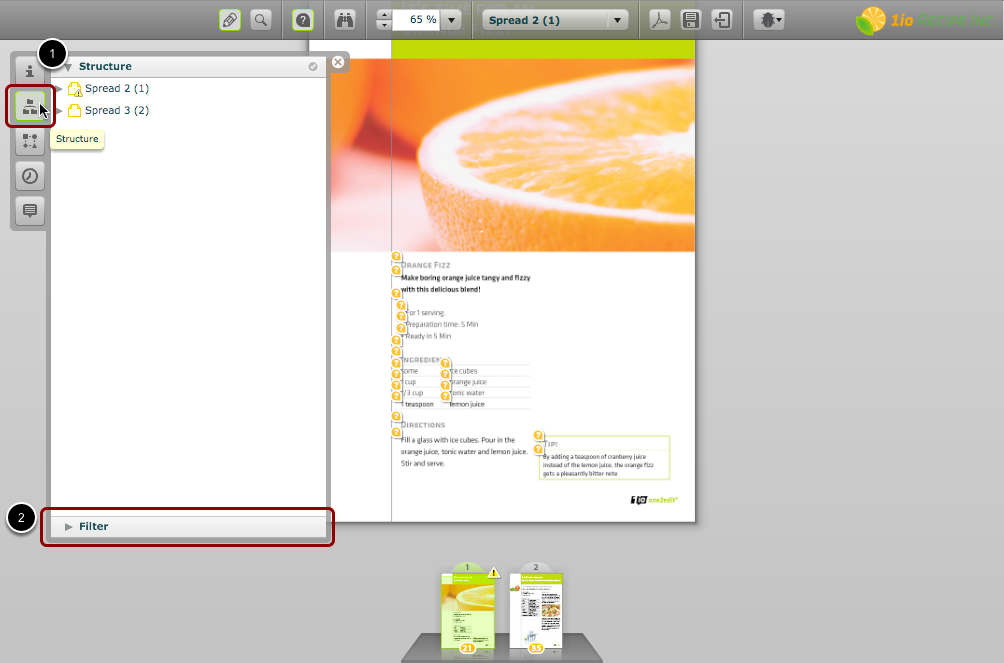
- Open the document structure panel by clicking on the 'Structure' button.
- Then expand the 'Filter' area by clicking on it.
Add a Filter
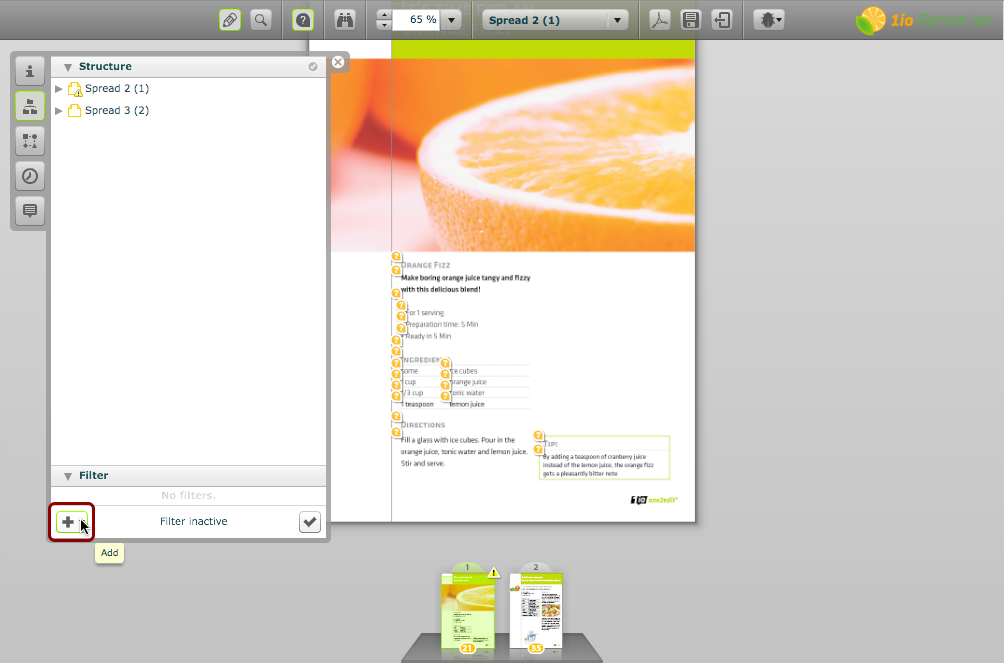
Click the 'Add' button to add a filter term to the structure.
Choose 'Text Overset'
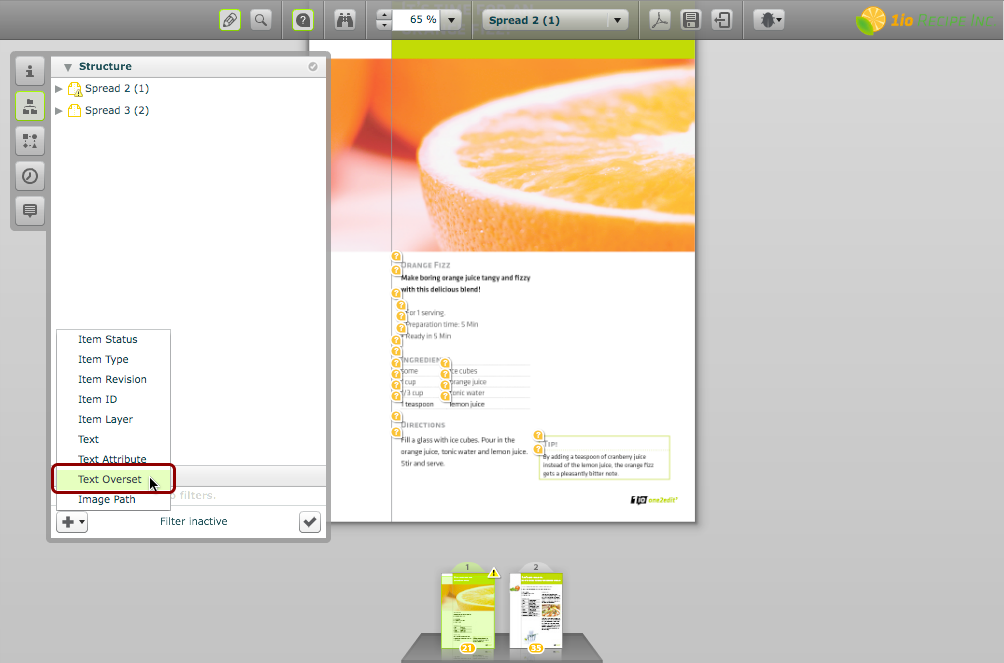
Choose 'Text Overset' from the pop-up menu.
Click 'Apply'
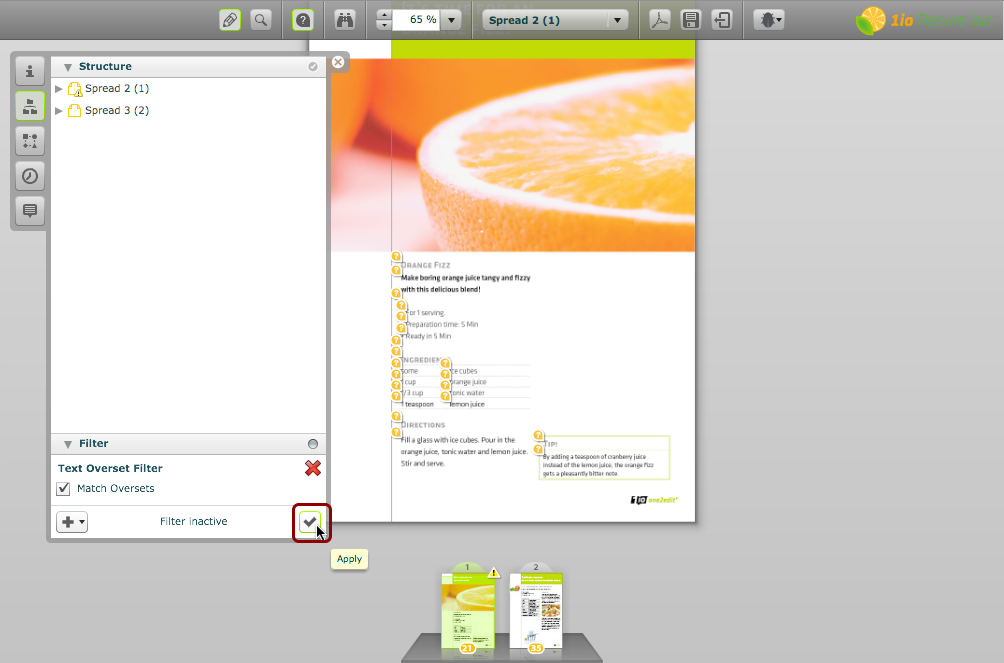
Click the 'Apply' button to implement the filter using the current terms.
NOTE:
You can add multiple filter terms at the same time.
Structure contains only Overset Segments
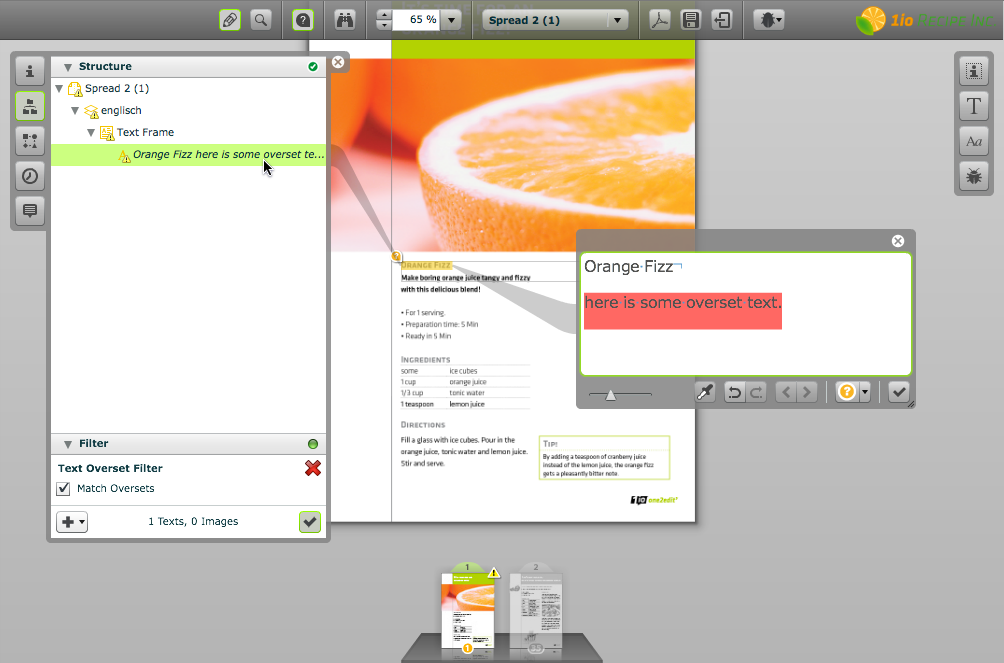
The document structure now shows only those text segments that contain overset text.
In a large document, there may be overset text in segments on many spreads, but all of them will be shown here.