
It is possible to filter the structure of a document in one2edit™ to display only those segments that are empty or contain non-printing characters or whitespaces.
The user can then easily remove these segments from their content groups by dragging and dropping them to the "Unassigned Items" tab.
The filter setup (as shown in the steps below) is:
- Filter: Text (Use Regexp)
- Value (UTF-8): ^(\s|\x{FFFC}|\x{0016}|)+$
Please
NOTE:
You can also filter for "Empty, Inline Characters, Table Characters, Whitespaces, Automatic Page Number Characters, Bookmark Links, or 'indent to here' characters".
- Filter: Text (Use Regexp)
- Value (UTF-8): ^(\s|\x{FFFC}|\x{FEFF}|\x{0018}|\x{0016}|\x{0007}|)+$
Expand the Document-Structure Filter
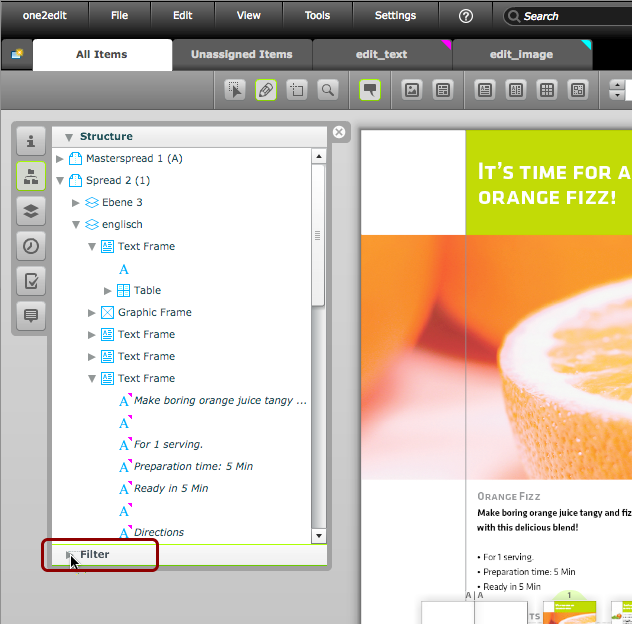
Click on the 'Filter' triangle to expand the document-structure filter options.
Choose 'Text'
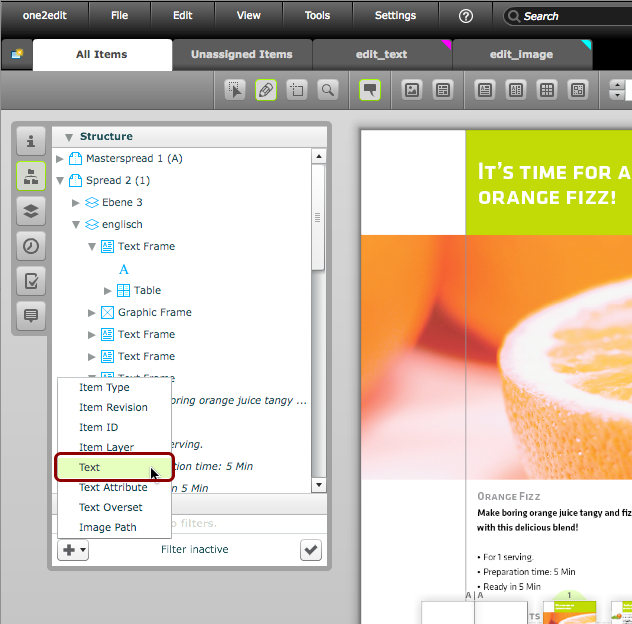
Choose a filter-type of 'Text'
Check the 'Use Regexp' box
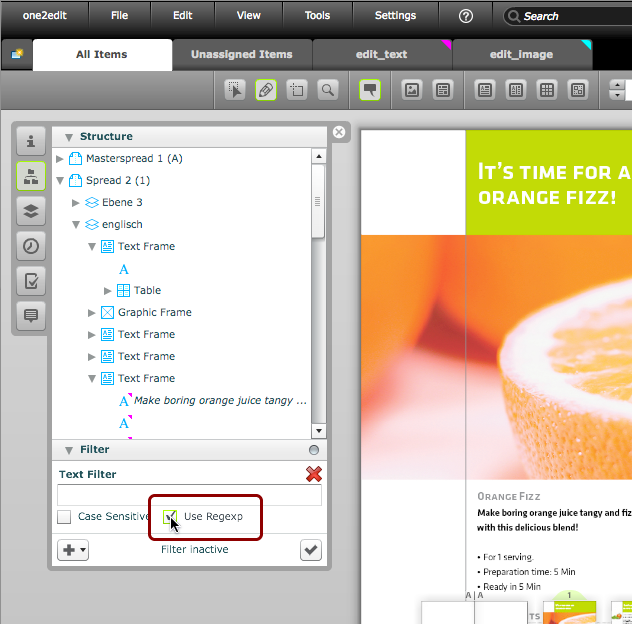
We are going to be using a regular expression (aka, a 'regex' or 'regexp') to do pattern matching. For this reason, we need to check the 'Use Regexp' box.
NOTE:
If we did not check this box, we would simply be searching for an exact text match.
Set the filter value
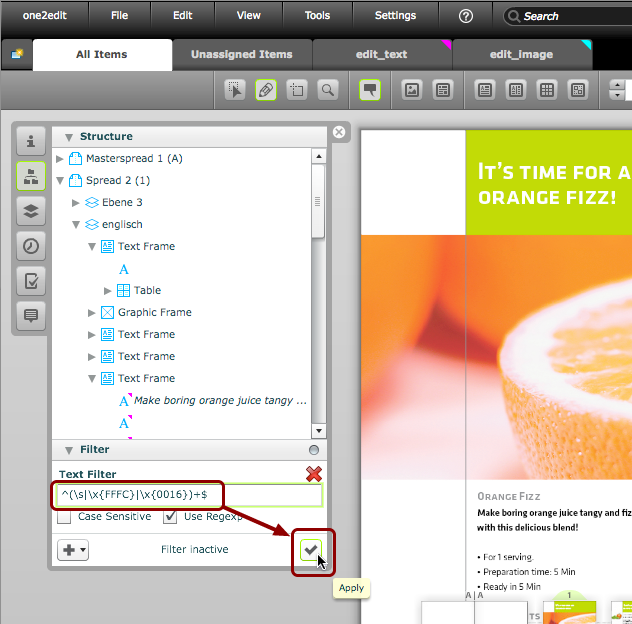
Insert the regular expression value shown below into the text field, and click 'Apply':
- Filter: Text (Use Regexp)
- Value (UTF-8): ^(\s|\x{FFFC}|\x{0016})+$
This regular expression ('regex' or 'regexp') value matches one or more of the character codes within the braces.
The caret (^) marks the start of the segment and the string ($) marks the end of the sentence. This indicates that the matches will be segments that contain only these characters.
NOTE:
You can also filter for "Empty, Inlines, Tables, Whitespaces, or 'indent to here' characters". This may be useful if 'indent to here' is used along with tabs for making bullet-point lists.
- Filter: Text (Use Regexp)
- Value (UTF-8): ^(\s|\x{FFFC}|\x{0016}|\x{0007})+$
Document Structure now filtered
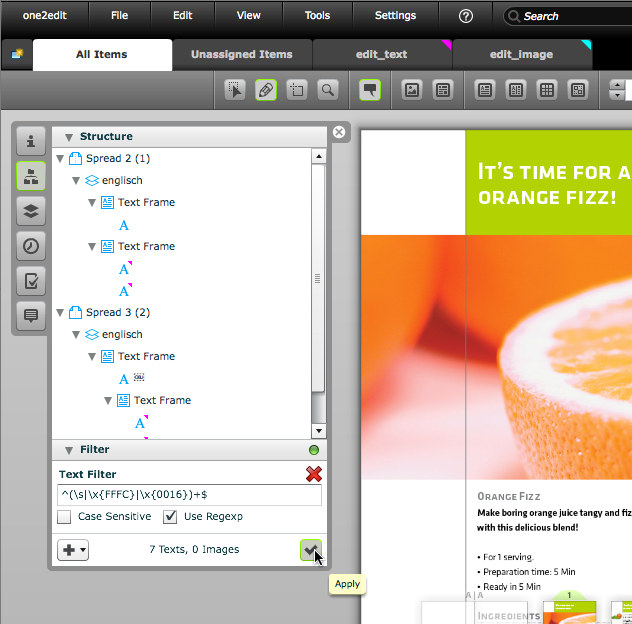
The document structure panel now only displays those segments that match our filter expression. These "empty" segments can now be dragged to the 'Unassigned Items' tab, if desired.