
In a workflow, it is sometimes desired that a user (or users) give feedback on a document, but not be allowed to edit the content of that document.
In one2edit™, it is possible to set a property on a workflow step to "no editing possible (notes only)" for this purpose.
Decide which Workflow Step should not allow editing
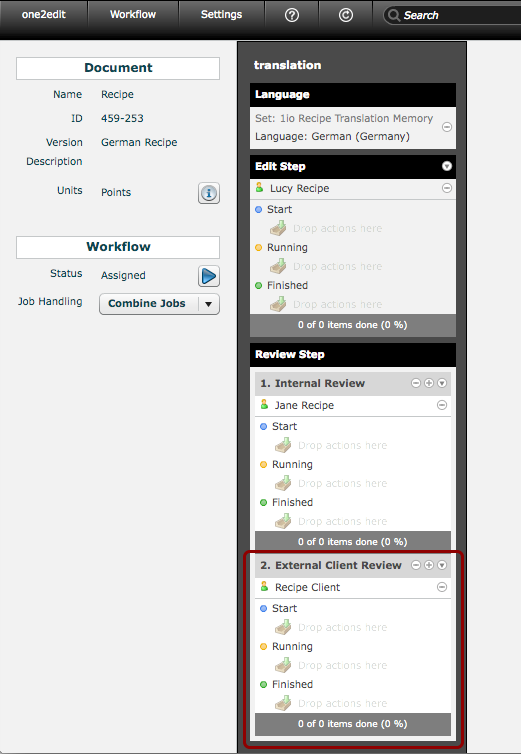
In you workflow, decide which step should only allow users to add notes and not to edit content.
In the example above, we will choose the "External Client Review" step, i.e., the second review step.
Choose "No editing possible..." from the Workflow Step Menu
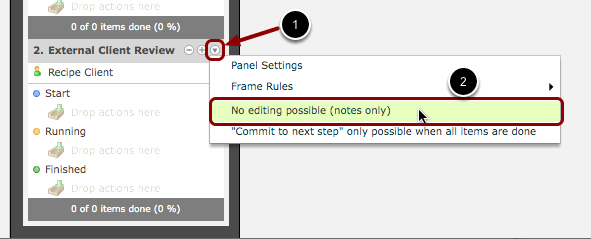
- Open the menu for the workflow step by clicking on the down arrow/triangle.
- Click on "No editing possible (notes only)" to select the workflow-step type.
Congratulations!
You now have a workflow step in which the user (in this case "Recipe Client") cannot edit content, but can add annotations to that content.