
Content rules define what actions are permitted by a user when editing a Job.
Create 'New Content Rule'
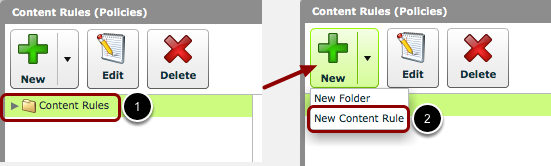
- Select a folder in the 'Content Rules (Policies)' window.
- Click the 'New Content Rule' button.
Name & Description
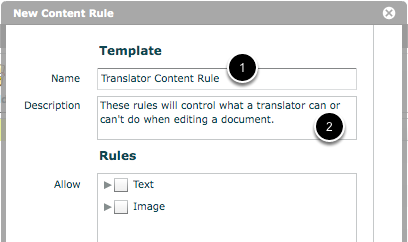
- In the 'New Content Rule' window, give the content rule a name.
- You can also give a more detailed description of the content rule in the 'Description' field.
Set up Content Rules
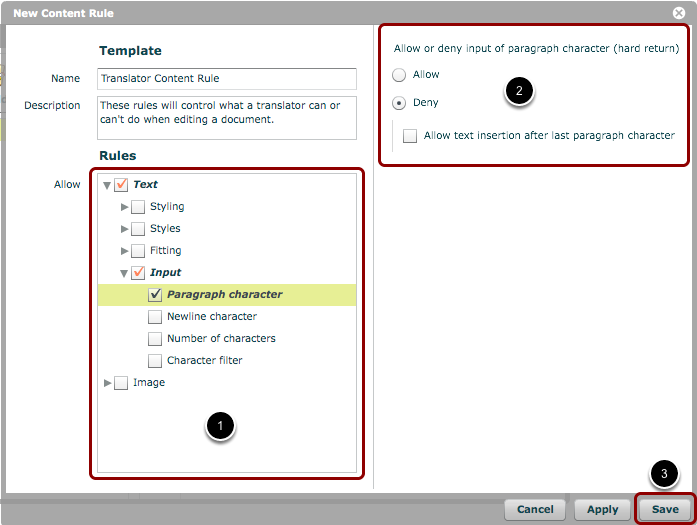
You can now choose the rules for this rule set.
- Choose the rules from the 'Rules' section of the window.
- Specify any options or ranges in the right-hand pane of the window (this will appear once a rule has been selected).
- Once all the rules have been set up, click 'Save'.
New Content Rule has been created
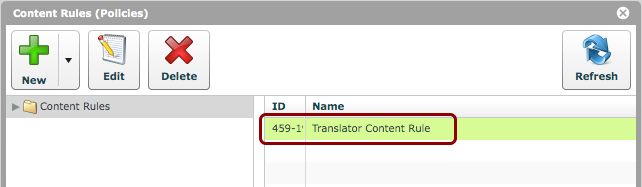
You will now see your new Content Rule in the chosen folder.
Edit/Delete Content Rules
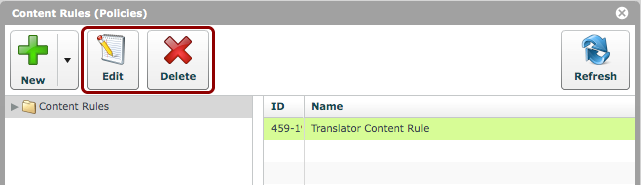
You may also edit or delete any selected set of Content Rules.